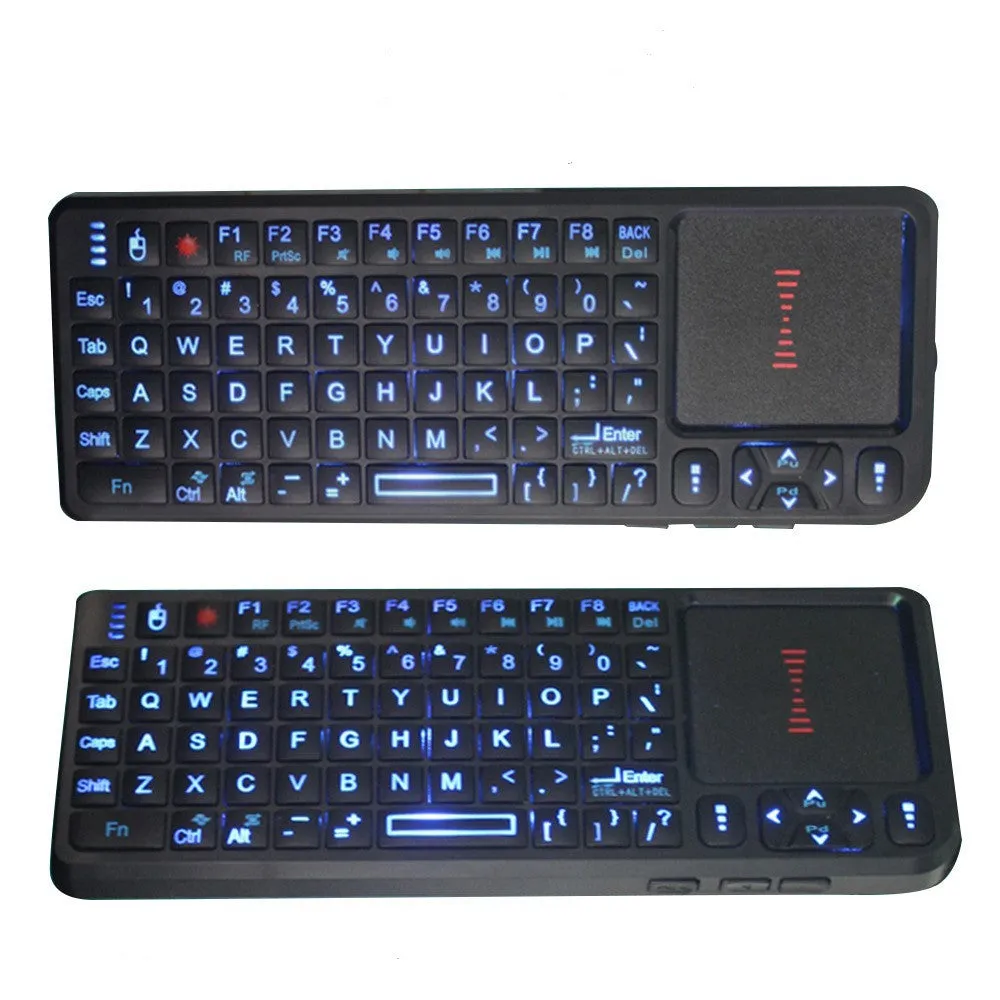
Laser teaching mini wireless keyboard with USB interface and touch screen panel for interactive whiteboard presentations and classroom teaching tools, 2.4G connection and backlight for office, home, and gaming use, compact 151x59x12.5mm size in black


Laser teaching mini wireless keyboard with USB interface and touch screen panel for interactive whiteboard presentations and classroom teaching tools, 2.4G connection and backlight for office, home, and gaming use, compact 151x59x12.5mm size in black
Laser Teaching Mini Wireless Keyboard with Touch Screen for Presentations and Interactive Teaching

This compact wireless keyboard combines a standard QWERTY layout with an integrated touch screen panel, creating a dual-input device tailored for presenters, educators, and professionals. It connects via a 2.4G USB receiver, offering a cable-free solution for controlling a computer from a distance, which is particularly useful when interacting with an interactive whiteboard or large display during a lesson or business meeting. The unit's small size makes it highly portable, easily fitting into a laptop bag or document holder, while its noted ergonomic support aims to provide comfort during extended use. With plug-and-play functionality, it is ready for immediate operation with compatible notebooks, desktop computers, and gaming setups, serving as a versatile tool beyond the classroom.
Features and Construction

Designed as a multi-purpose input device, this keyboard merges traditional typing with touch-based control. Its construction focuses on reliability for frequent handling in educational or professional environments, where durability against daily transport and use is a practical consideration.
Material and Build
The keyboard features a plastic housing, which is standard for such electronic peripherals, providing a lightweight yet sturdy frame. The keycaps are also plastic, designed for tactile feedback during typing or command entry. The integrated touch screen panel consists of a glass or polymer surface, allowing for finger or stylus interaction to navigate software interfaces, select options, or control presentation slides without needing a separate mouse or remote.
Size and Practical Fit
With dimensions of 151mm in length, 59mm in width, and a slim 12.5mm profile, this keyboard occupies minimal space on a lectern, desk, or conference table. This compact size is a key advantage for users who need to carry their equipment between rooms or buildings, as it can be stored effortlessly alongside a laptop or in a drawer. The small footprint does not compromise its key layout, which remains fully functional for typing URLs, entering text, or executing keyboard shortcuts during a session.
Uses and Placement

This device is suited for scenarios where a presenter requires both keyboard input and precise on-screen control without being tethered to the main computer. Its wireless nature and dual-input capability make it applicable across several settings, from formal educational institutions to corporate meeting rooms and home offices.
Event or Professional Use
In professional environments such as conference halls, training centres, or boardrooms, the keyboard enables the presenter to move freely while maintaining full control over their presentation software. The touch screen can be used to annotate slides, highlight points, or navigate through a digital agenda without returning to the main computer. The 1600dpi optical resolution of the likely integrated pointing device (implied by 'laser teaching' and mouse interface) supports precise cursor movement for detailed demonstrations or software tutorials.
Everyday Home Use
At home, the keyboard serves as a convenient peripheral for media centre PCs, home theatre setups, or gaming consoles, where its compact size and wireless operation reduce clutter. The backlight support allows for use in dimly lit living rooms during evening movie sessions or gaming. For home-based tutoring or remote teaching, it provides a professional tool for interacting with educational platforms and digital whiteboard software from a comfortable seating position.
Benefits and Buying Value

The primary value of this product lies in its combination of two input methods in one portable device, reducing the need for multiple separate peripherals. It addresses the practical need for mobility and streamlined control in interactive sessions, whether for education, business, or leisure.
Reuse and Low Maintenance
As a wireless device with a standard USB receiver, it can be used with multiple compatible computers over time, offering longevity beyond a single setup. The absence of cables minimises wear and tear from constant plugging and unplugging, and the sturdy plastic construction is designed to withstand the rigours of daily transport in a bag or case. Basic care involves keeping the touch screen clean with a soft, dry cloth to maintain responsiveness and ensuring the USB receiver is stored securely when not in use.
Why Choose This Product
This keyboard is selected for its specific blend of a mini wireless keyboard and a touch screen panel—a combination not found in standard peripherals. It is a targeted solution for teachers, trainers, and presenters who require both typing capability and direct screen interaction from a distance. The inclusion of backlighting and ergonomic support, as noted in the source, adds practical usability features for extended sessions, making it a focused tool rather than a general-purpose keyboard.